
Home MY DISPLAY

Digital Signage, all in one platform.

Manage displays, content, schedules, and campaigns from any device. Fully cloud-based, with both monitors and software included — all for one single, all-inclusive fee.

app.mydisplay.it
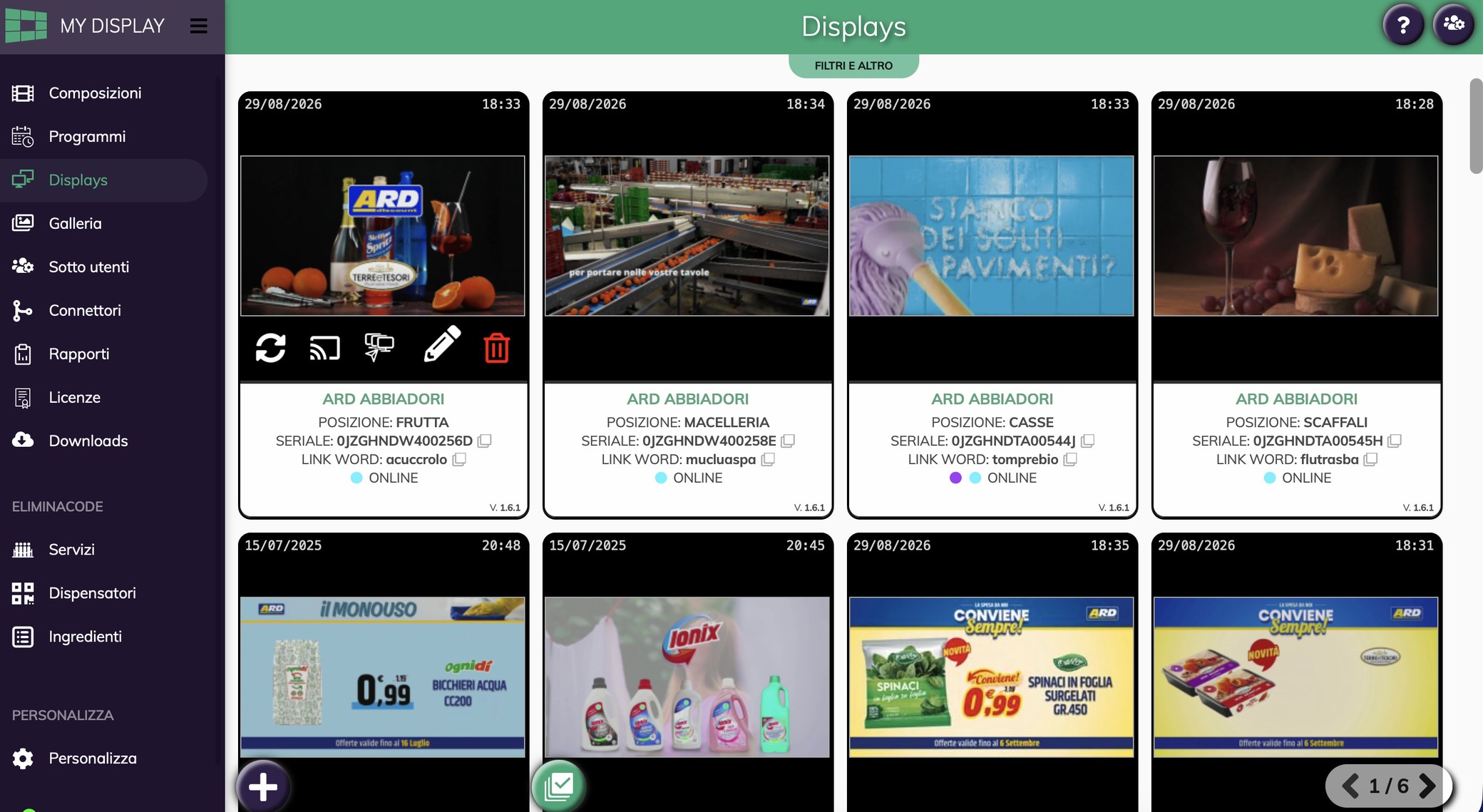
The list of displays with preview, location, serial number and connection status.
app.mydisplay.it/report
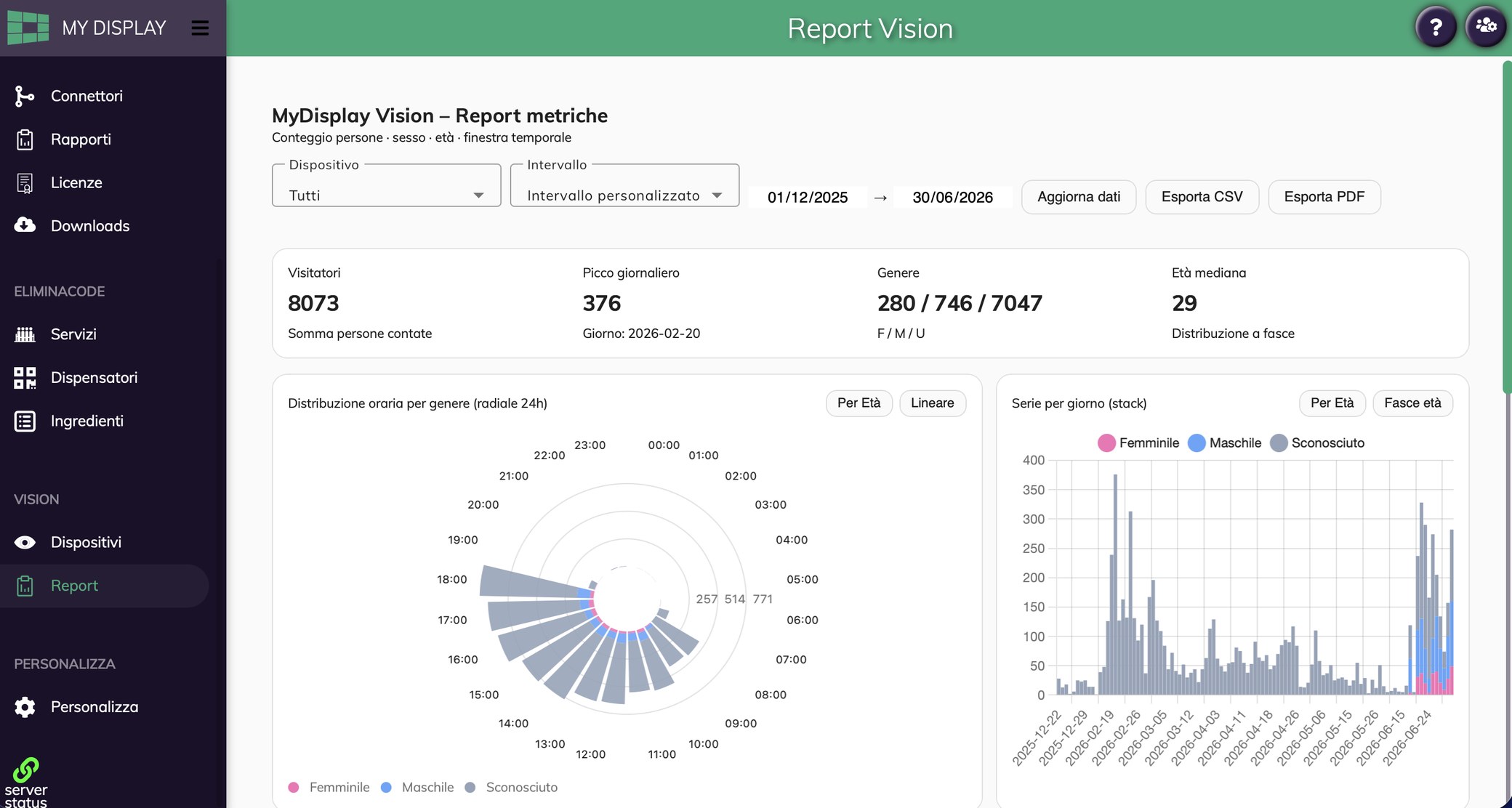
Vision report: summary indicators, hourly distribution by gender and the daily series.

One app for every display: status and preview of each connected screen. In the foreground, the Vision report with the passers-by in front of the display.

Real-time management

Check the status of all your displays, as if you were standing there

The display list shows a preview of what is going on air right now, together with location, serial number and connection status.

  • Live preview of every connected screen.
  • Online status and player version, screen by screen.
  • Quick commands refresh, broadcast, capture, edit, remove.
  • Position in the shop so the window is never mistaken for the counter.
app.mydisplay.it
The list of displays with preview, location, serial number and connection status.

Schedules

Decide today what goes on air over the coming weeks

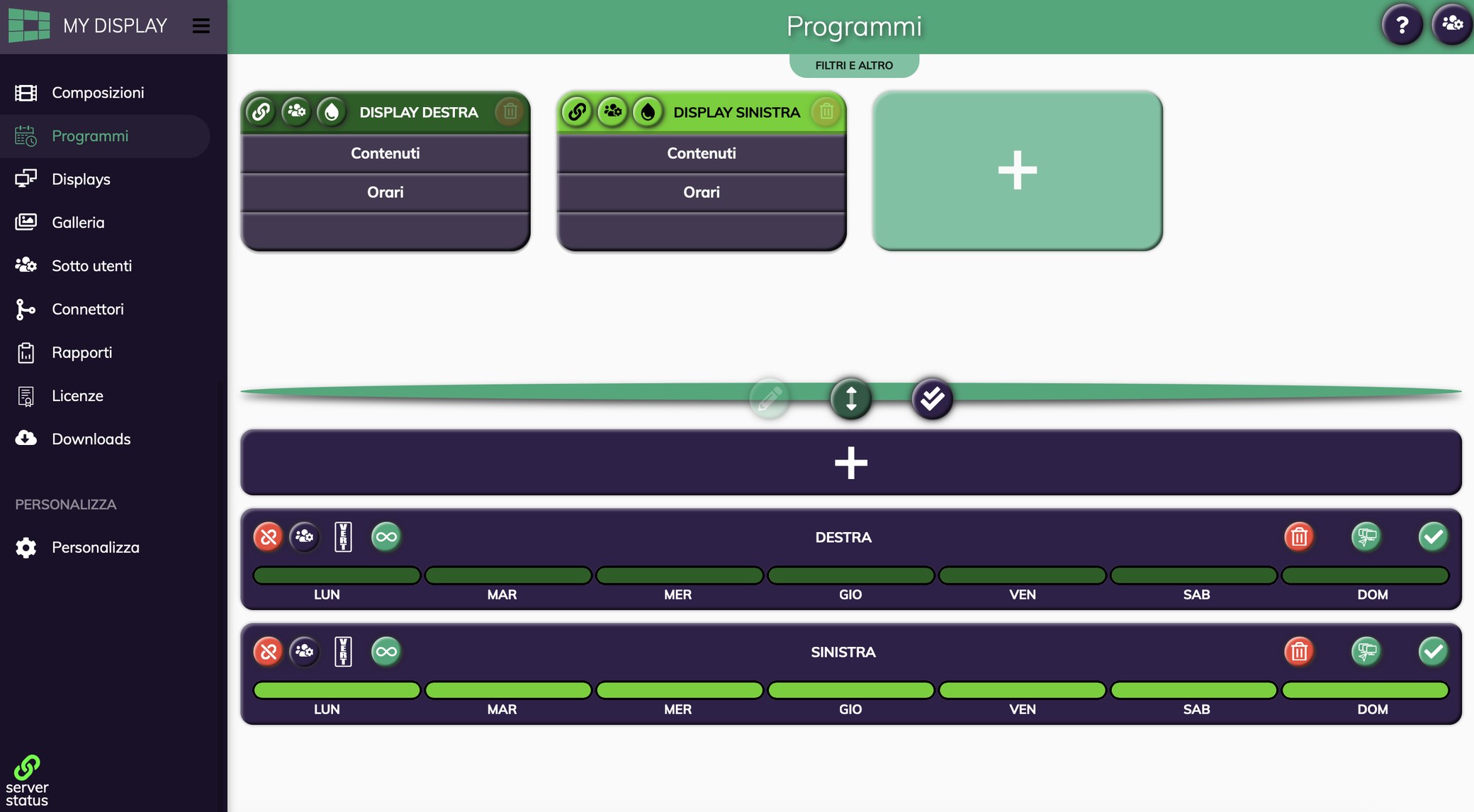
Content is organised into dated programmes: you set the publishing window and the devices, and the schedule runs itself, without anyone having to remember it.

  • Publishing calendar with start and end dates.
  • Recurrences for the promotions that come back every season.
  • Base schedule always on, as a fallback for promotional campaigns.
  • Publishing to several screens in a single operation.
app.mydisplay.it
Programmes in the MY DISPLAY app: cards for the right-hand and left-hand display with content and times, and the scheduling bands from Monday to Sunday.

Rendering

Your products become video, starting from the templates

No graphics editor needed. You pick the template for your sector, enter products, prices and images, and the system returns the video ready to publish.

Cafés · Patisseries

Menu and products in the window

Ideal for any venue that wants to put the products it sells centre stage and immerse the customer in a visual experience they have not had before.
Estate agencies

The property catalogue in the window

Ideal for any agency that wants to promote the properties on its books: no more leaflets taped to the wall.

Pharmacies

Information and promotions

Ideal for any pharmacy that wants to give clear, striking visual information about its products and its promotions.

Compositions

Build the video slide by slide

The composition editor works live and asks for no technical skill: put each screen together with text and images, decide how long it stays on air and press play to see the result before publishing it online.
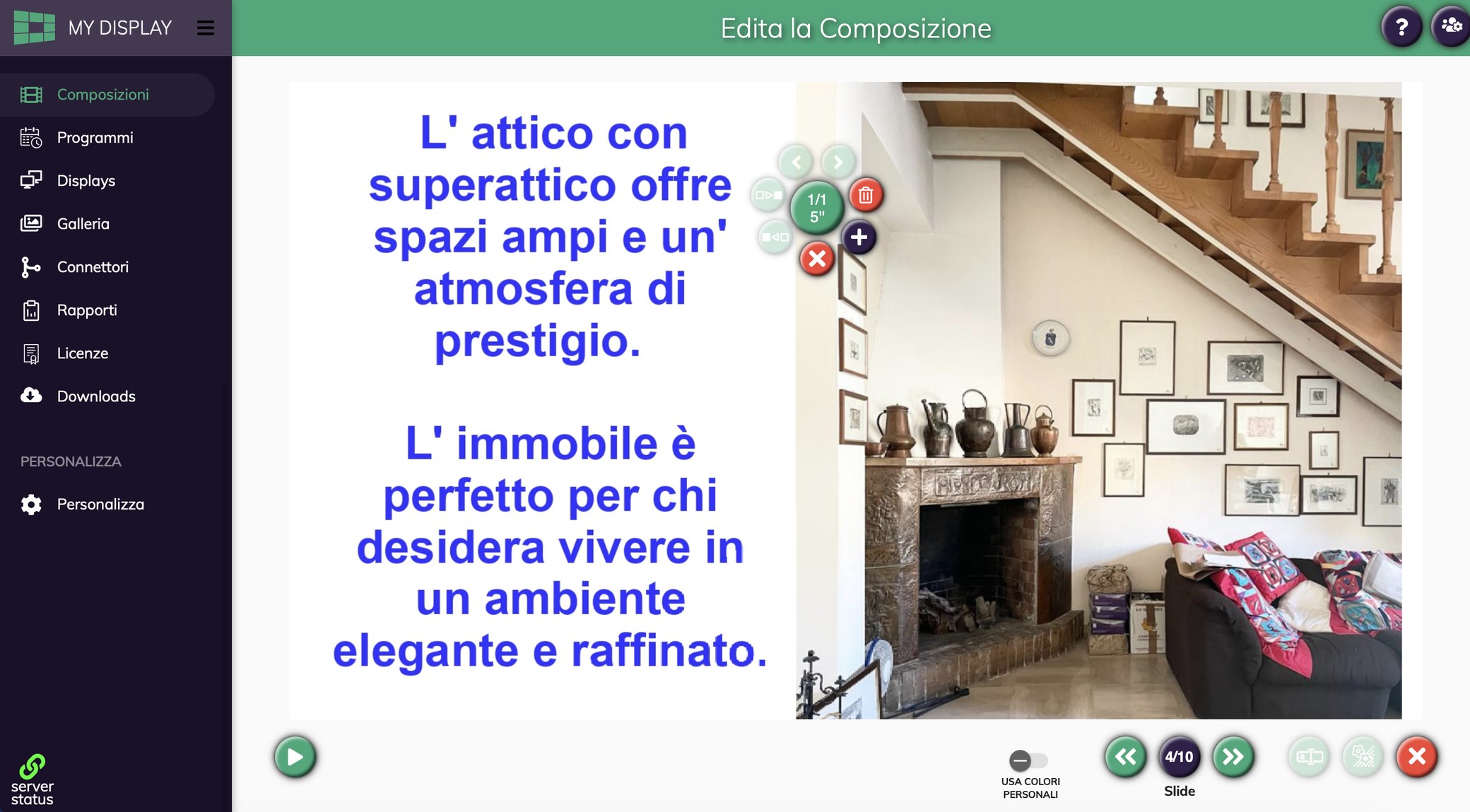
  • WYSIWYG editor what you see while composing is what goes online.
  • Duration per slide set the seconds for each screen, one at a time.
  • Instant preview play runs the sequence before you publish it.
  • Colour management text and backgrounds follow your own colour palette.
app.mydisplay.it
Composition editor: the slide being worked on with text and image, the duration and order controls, and the bottom bar with preview and navigation between slides.

Queue management

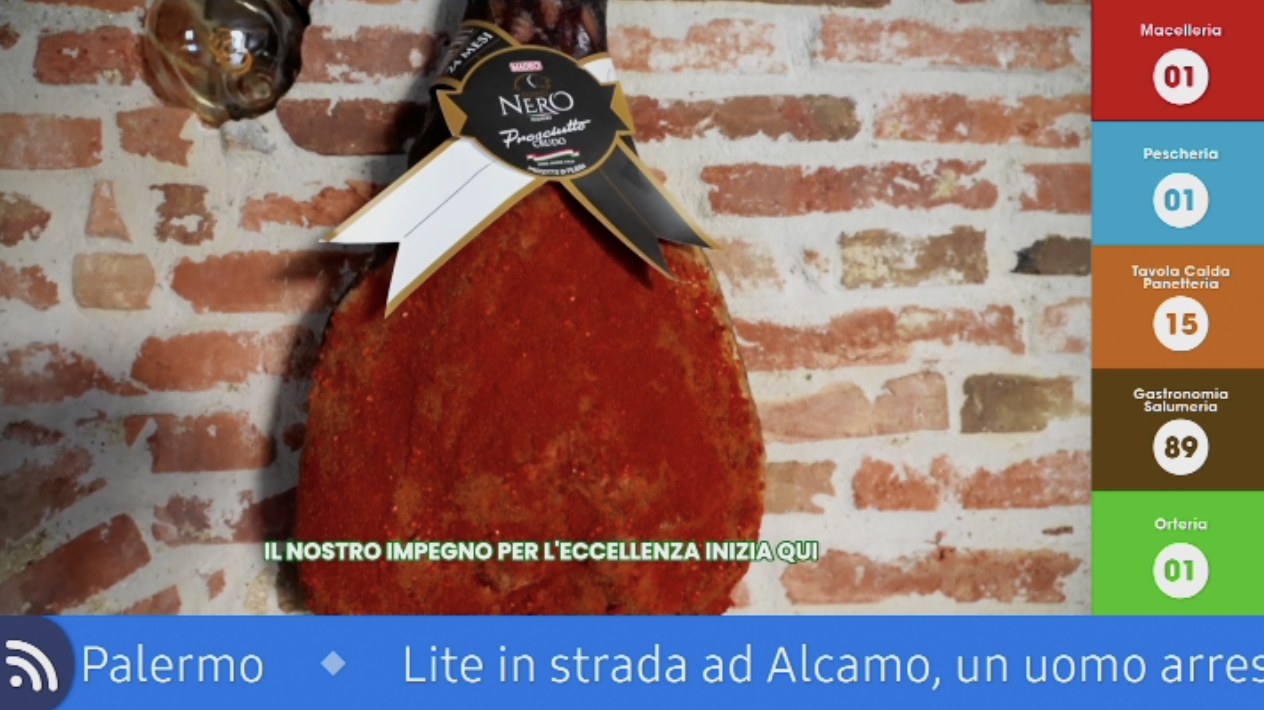
On the same screen as the videos, the number to be served.

Services, dispensers and the elements of queue management are all configured from the web app. The display shows the content and the queue services, with no second system to install.
  • Services by desk or by type of request.
  • Dispensers physical or in-app, depending on the venue.
  • On-screen calling overlaid on the schedule already running.
  • A single monitor for communication and queue management alike.
In-store display: the content on air, the column of numbers called for the Butcher, Fishmonger, Hot food, Delicatessen and Greengrocer counters, and the news ticker along the bottom.
Content and number calling on the same screen.

Statistics

Two readings: what went on air, and how the queue services performed.

Reports are filtered by device and by date range. They can be exported whenever you need them in a meeting.

Video playback statistics

Plays per dayLast 7 days
MonTueWedThuFriSatSun
Content
34
Screens
2
Hours on air
36

A sample view of the interface: the values depend on your own installation.

Service statistics for queue management

People served per time bandTypical day
91011121516171819
Average wait
2m
Served
23k
Peak
10

A sample view of the interface: the values depend on your own installation.

MyDisplay Vision

Do you know how many people have had the opportunity to see that communication?

MY DISPLAY Vision counts the people in front of the screen and returns the distribution by time of day, gender and age: the success of a schedule stops being guesswork.

  • Count of passers-by in front of the display.
  • Gender and age of passers-by aggregated, never person by person.
  • Hourly distribution of passers-by across the twenty-four hours of the day.
  • CSV and PDF export filtered by device and time range.
  • Privacy GDPR and AI Act compliant.
app.mydisplay.it
Vision report: summary indicators, hourly distribution by gender and the daily series.

Tizen

The app can run on the monitor alone, with no extra PC

MY DISPLAY is a certified application: choose Samsung as your display and the app installs straight onto monitors with SoC and Tizen 7+. Beyond the screen there is nothing else to power, update or hide away.

  • Certified by Samsung the app has passed the manufacturer's certification.
  • Tizen 7 or above it works on every Samsung monitor with SoC on board.
  • No PC unlike installations that need an external player.
  • Power and network a single device to connect.
What sits behind the screenComparison
Installation with an external player
Monitor + Mini PCto keep updated + Power supply and cables
MY DISPLAY on Tizen
Samsung monitorcertified app on board

Wiring diagram: what changes is how much hardware stays behind the monitor.

Architecture

A cloud native platform: in the shop there is only the display

No server to install on site, no machine to update by hand. The software lives in the cloud and the players update themselves.

No machine on siteThe control room is in the cloud, not on a server humming away in the back office.
Continuous updatesNew features arrive with no work on site.
Access from any workstationAll it takes is a browser and your account credentials.
Growing togetherOne shop or a whole chain: what changes is the number of screens, not the system.

Pricing

Three service levels, one single fee

Monitor and content management are always inside the fee. What changes is how much of the platform you switch on above them.

Signage

For those who want screens that communicate, managed remotely.

On quotationRental or lease, for a recurring fee

  • Real-time display management
  • Schedules with a calendar
  • Rendering from the sector templates
  • Playback statistics
Ask for a quotation
Most requested

Signage + Queues

For pharmacies, service desks and any service with a queue to manage.

On quotationRental or lease, for a recurring fee

  • Everything in Signage
  • Queue management
  • Services, dispensers and elements
  • Service statistics
Ask for a quotation

Signage + Vision

To find out whether your communication is successful.

On quotationRental or lease, for a recurring fee

  • Everything in Signage
  • MyDisplay Vision
  • Distribution by hour, gender and age
  • CSV and PDF export
Ask for a quotation

The fee depends on the monitor model, the number of screens and the formula you choose. Amounts are not published: we set them out in a quotation for your own configuration.

Let us look at what you need and set up a demo

We show you the app running on your own content and tell you how many screens you really need.

Request a demo